
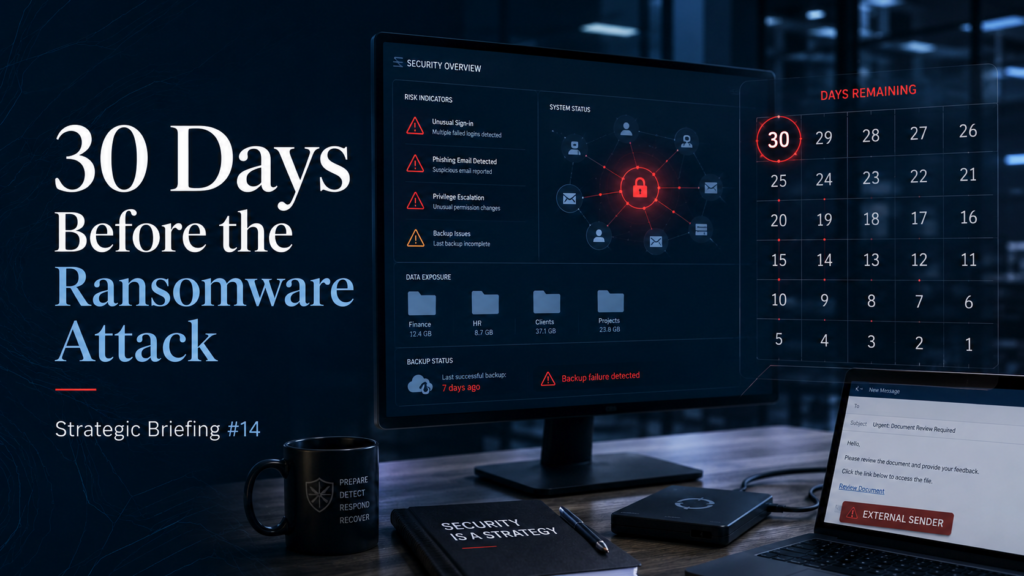
The 30 Days Before the Ransomware Attack
Table of Contents
By Nate Olson, Fractional IT Director & vCIO | N.O. IT Strategy LLC
You pay $3,000 a year for cyber insurance. You get hit by ransomware. The cleanup costs over $100,000.
That’s the lucky outcome.
That’s what happened to Walter Rowen, third-generation owner of Susquehanna Glass in Columbia, Pennsylvania. His family business has been making custom glassware since 1910. On the first Tuesday of December 2025, at 9 in the morning, strange messages started appearing on screens across his building.
Criminals had encrypted everything.
Financials, inventory, customer records, employee files with Social Security numbers and bank information. They wanted a million dollars to give him his business back.
He didn’t pay. He had backups the attackers deleted but didn’t encrypt. A data recovery company in California undeleted them by Friday.
He survived.
He sent 40 employees home that Tuesday, ran overtime to fulfill Christmas orders, offered identity theft protection to affected employees, and paid lawyers, forensic investigators, IT consultants, and recovery specialists over $100,000 out of pocket.
He told the whole story in Fortune in April 2026. He wrote it so other small business owners would learn from what happened to him.
I wrote about Walt’s story in Strategic Briefing 12. This briefing goes deeper into the part most owners don’t see: what happens before the screens turn red.
Here’s the part the article doesn’t get into.
By the time Walt saw those messages on the screens, the attack may have already been weeks old.
Ransomware is not a moment. It’s a process. The screens turning red is the last step, not the first. Somewhere before that Tuesday morning, an attacker likely walked into Susquehanna Glass’s network. They stayed. They looked around, took what they wanted, deleted the backups, then encrypted everything and asked for a million dollars.
This briefing is about what was probably happening in that network before Walt saw the screens.
We can’t know every detail. But we know who attacked him: a group called Akira, who claimed responsibility on December 19th and posted 35 gigabytes of his data on their leak site. We know what Akira was doing to other small businesses that same fall. And we know what those victims often had in common, because security researchers analyzed the pattern.
So we can walk you through what those weeks often look like.
And at the end of each section, we’ll give you a question to ask your IT person or MSP this week.
Day 30 to Day 21: Someone walks in the front door
Picture late October or early November. A normal Wednesday. An employee finishes their day, closes their laptop, drives home.
Somewhere in the building, a small box mounted in a rack is connected to the internet. That box is the firewall. It may also handle remote access, so the few employees who work from home can connect back to the company network.
The brand could be SonicWall, Cisco, or another firewall/VPN product. The brand matters less than the fact that it is exposed to the internet and controls remote access.
That box is the front door.
And in the fall of 2025, that exact kind of front door was one of the ways Akira was getting into small businesses. The FBI and CISA, the federal cybersecurity agency, published a warning about it on November 13th, just three weeks before Walt got hit. The warning named specific brands and specific weaknesses. Small businesses across manufacturing, like Susquehanna Glass, were among the targets.
The attack usually goes one of two ways.
Either the firewall’s software is out of date and the attacker exploits a known weakness in it. Or the attacker tries millions of password combinations against the remote access login until something works, often using passwords stolen from old data breaches at other companies.
Either way, the attacker is now inside, using what looks like a legitimate employee login.
Nothing alerts on it.
The firewall logs show a successful connection. Nobody’s reading firewall logs at 2 in the morning.
The single thing that stops this in its tracks is multifactor authentication on the remote access itself. Not just on email. On the firewall. A code from a phone or a security key that the attacker doesn’t have.
According to the survey Walt cites in his Fortune article, only 48% of small businesses use multifactor authentication, even though 70% of users say it works.
Ask your IT person this week: Do we have multifactor authentication on every way to get into our network from outside, including the firewall itself? And is the firewall software current?
Day 20 to Day 14: Looking around the house
The attacker is in.
They don’t do anything obvious. They don’t install scary-looking software. They use tools that already exist on Windows, the same tools your IT person uses, so nothing looks out of place.
They map the network. They see what servers exist. They look at the list of user accounts in your system.
They’re trying to figure out two things.
Who has the keys to everything, and where do you keep your backups?
This is where security researchers have seen the same pattern again and again: old accounts, unmanaged systems, exposed remote access, and computers without modern detection tools.
Think about the old accounts for a minute.
A 116-year-old business has had a lot of people come and go. Internal IT staff. Outside IT contractors. The MSP from five years ago that got replaced. The vendor who set up your accounting system.
Every one of them might have been given an admin account at some point. Some of those accounts may still be active, just sitting there, because nobody ever audited the list.
Server names are another piece.
If your file server is named FILESERVER and your backup server is named BACKUP01, the attacker doesn’t have to figure out what each one does. You just told them.
The third piece matters most.
Traditional antivirus, the kind that came bundled with your IT support contract, watches for known bad files. The Akira attacker may not need to bring many bad files. They can use your own tools against you.
That’s often invisible to traditional antivirus.
There’s newer technology called EDR, endpoint detection and response, that watches for unusual behavior instead of only watching for known bad files. It is built to catch this kind of activity. Most small businesses don’t have it because they were told it’s enterprise-grade.
Ask your IT person this week: Who has admin access to our network right now? When did we last review that list? And is what we have on our computers traditional antivirus or modern EDR?
Day 13 to Day 7: Getting the master key
Halfway through the second week, the attacker has enough information.
Now they go for the master key.
In a Windows network, there’s a single system called the domain controller that knows every user, every password, every permission. If an attacker gets control of the domain controller, they own everything.
Every computer. Every server. Every account.
They get there by stealing passwords stored in the memory of the computers they’ve already compromised. Windows keeps recently used login credentials in memory for performance reasons. There are well-known tools that scrape those credentials out.
Then the attacker uses those stolen credentials to hop from machine to machine, climbing toward the domain controller.
This phase can take days. It’s quiet. The attacker is patient because rushing creates noise. They use built-in Windows tools so the activity blends in with normal IT work.
EDR is built to catch this kind of behavior. Traditional antivirus usually is not.
That gap is exactly what Akira’s playbook is built around.
There’s one more thing worth knowing.
A well-run network has what’s called a break-glass admin account. A separate, special administrator account that’s used only for emergencies. It has its own password, its own multifactor authentication on a physical key, and it’s never used for daily work.
If an attacker has compromised your regular admin account, the break-glass account may still be safe.
Most small businesses don’t have one. The same person uses the same admin account to check email, install software, and run the business.
Ask your IT person this week: If an attacker got administrator rights tonight, how would we know before tomorrow morning? And do we have a separate emergency administrator account that isn’t used for daily work?
Day 6 to Day 2: Finding and breaking the backups
This is the most important phase.
This is what determines whether you survive.
The attacker now has the master key. They know your network. Before they encrypt anything, they hunt your backups. They want to know exactly where every backup is, what kind it is, and whether they can destroy it.
If your backups are sitting on a server in the same building, connected to the same network, using the same accounts, they’re as good as gone.
The attacker has admin rights. Whatever your admin can delete, the attacker can delete.
This is where Walt got lucky.
Read the line from his Fortune article carefully. He said the attackers “deleted but did not encrypt” the backup hard drives.
The attackers found the backups. They tried to destroy them. They succeeded in deleting them. But for whatever reason, those drives didn’t get encrypted, which meant the California data recovery company could undelete them and pull the files back.
That’s not a backup strategy.
That’s luck.
A backup strategy that survives ransomware has one of two properties.
Either it’s immutable, meaning even an administrator can’t delete or change it for a set period of time. Or it’s air-gapped, meaning it’s physically disconnected from the network and unreachable from any compromised account.
Cloud backups can be configured to be immutable. Tape backups can be air-gapped. External drives that get rotated and stored offsite can be air-gapped.
The question isn’t “do you have backups.”
The question is “can an attacker with admin rights destroy your backups?”
If the answer is yes, you don’t have backups. You have files waiting to be deleted.
And one more thing.
Backups that have never been tested are not backups. They’re hope.
The first time you find out your backup is corrupted is the worst possible time to find out.
Ask your IT person this week: If an attacker had full administrator access to our network, could they delete our backups? When did we last test a full restore?
Day 1: The quiet truck pulls up
The night before the encryption event, the attacker takes what they came for.
They copy your data out of your network to a server they control. This is called exfiltration.
In Susquehanna Glass’s case, the criminals took 35 gigabytes. They claimed to have personal information on nearly 800 people. I-9 forms, scans of passports, driver’s licenses, Social Security numbers, drug test results, detailed financials, customer records.
They posted the listing on their leak site on December 19th, 2025.
Stop on that number for a second.
Eight hundred people.
Susquehanna Glass currently has far fewer employees than that. The rest are likely former employees going back years, plus customer records, plus whatever historical files were sitting on the server.
This is the part of ransomware that doesn’t show up in the ransom note.
Walt had to offer identity theft protection to affected employees. That’s because Pennsylvania law required him to. Most states have similar laws. If personal data was exposed, you have to notify the people, often pay for credit monitoring, and report the breach to state authorities.
Depending on the kind of data and the state, you may face fines or lawsuits.
The point is this.
Even if you recover your files perfectly, the data the attacker copied is gone forever. It’s on a Tor onion site, or it’s been sold to identity theft brokers. You can’t put it back in the box.
Every file you’ve kept for a decade because nobody told you to delete it is a future leak waiting to happen.
Ask your IT person this week: How much old data are we sitting on that we don’t need anymore? Do we monitor whether large amounts of data are leaving our network?
Day 0: The screens turn red
Tuesday morning, 9 AM.
The employees come in. They turn on their computers. Strange messages appear. The factory machinery, which runs on software connected to the server, stops.
Walt sends 40 people home.
The encryption itself takes hours. The newer version of Akira that was active in late 2025 is built for speed. It only encrypts the first and last portions of large files, which is enough to break them, and finishes the whole network in a fraction of the time the old versions took.
By the time you see the messages, it’s done.
Everything visible on Day 0 was set up before Day 0.
What the survivors pay
Walt’s numbers from his Fortune article:
A million dollar ransom demand he refused to pay.
Over $100,000 in cleanup costs anyway, for attorneys, forensic investigators, data recovery, and IT.
Cyber insurance that cost him $3,000 a year and covered most of it.
Forty employees sent home during peak Christmas season.
Overtime to catch up on orders that had guaranteed holiday delivery.
Identity theft protection for affected employees.
The personal stress of nearly losing a 116-year-old family business.
The numbers from the survey he cited in his article are worse.
Seventy-two percent of small businesses were hit by fraud, scams, or ransomware in 2025. Average loss from payment fraud, around $60,000. Average loss from email compromise, over $90,000. Total bill across American small businesses, $131 billion.
Forty-three percent of affected businesses say the fraud made it harder to accept payments going forward. Forty percent say it hurt their ability to attract customers.
Walt is the success story.
He survived.
He still paid six figures, sent his people home, exposed nearly 800 people’s personal data, and spent the next four months dealing with the aftermath.
The next victim, the one without recoverable backups or cyber insurance, may not survive.
What an owner does this week
Five things.
None of them require a big budget.
All of them require you to ask someone questions and not accept vague answers.
- Ask your IT person or MSP to confirm multifactor authentication is enabled on every way into your network from outside. The firewall, the VPN, the remote desktop, every cloud admin login.
- Ask for a list of every account that has administrator rights on your network. Ask when that list was last cleaned up. Ask who from outside your company has any kind of admin access.
- Ask whether your computers have traditional antivirus or modern EDR, endpoint detection and response. If your IT person can’t tell you the difference, you probably have antivirus.
- Ask whether your backups can be deleted by an administrator account. If the answer is yes, the backups are not safe. Ask when a full restore was last tested.
- Read your cyber insurance policy. Know what it covers and what it doesn’t before you need it. Walt’s $3,000 a year policy helped save his business. The wrong policy could leave you exposed.
Walt’s last line in his Fortune article was this:
“Get a good IT partner who talks to you, not just to your servers, and buy the cyber insurance.”
He’s right.
The hard part is finding a partner who will actually walk through these five questions with you, give you straight answers, and tell you what you don’t want to hear.
Most small businesses don’t have anyone whose job it is to ask the hard questions before December.
These are the questions a fractional IT director runs through every quarter.
Not after the screens turn red.
Before.
Because the cheapest ransomware response is the one that happens before the ransom note exists.
Thank you, Walt, for going public with what happened to you.
The reason this briefing exists is because you chose to tell the story.
If you missed the first piece on what happened to Susquehanna Glass, it’s Strategic Briefing 12.
Sources
Walter Rowen, “As a small business owner, I never expected to pay $100,000 protecting my business from ransomware,” Fortune, April 16, 2026. https://fortune.com/2026/04/16/small-business-owner-hidden-tax-cyber-ransomware-131-billion/
CISA, FBI, and international partners, “#StopRansomware: Akira Ransomware,” Joint Cybersecurity Advisory AA24-109A. Originally published April 18, 2024. Updated November 13, 2025. https://www.cisa.gov/news-events/cybersecurity-advisories/aa24-109a
Jessica Lyons, “Corporate predators get more than they bargained for when their prey runs SonicWall firewalls,” The Register, November 25, 2025. https://www.theregister.com/2025/11/25/akira_ransomware_acquisitions/
Ransomware.live, Akira group leak site indexing. Susquehanna Glass victim entry dated December 19, 2025. https://www.ransomware.live/group/akira
Public Private Strategies Institute, “Fraud, Scams, and Ransomware: A National Survey of Small Business Owners,” cited in Rowen, Fortune, April 16, 2026. https://www.ppsi.org/insights/fraud-scams-ransomware-survey